 ShipStamp
What Is a Shipping Label? A Plain-English Guide for Online Sellers
Made your first sale on Vinted or eBay? ‘Print the shipping label’ can feel like the one step everyone else already understands. It isn’t complicated. A shipping label is a sticker with an address and a barcode on it — though the barcode is doing more work than it looks. Here’s the whole thing, start to finish.
The short definition
A shipping label is the printed sticker on a parcel that tells the courier where it’s going, who sent it, and — crucially — carries the barcode the courier scans at every step from collection to doorstep. It’s created the moment you buy postage, and on most parcels it’s printed at the standard 6×4 inches (100×150mm).
What’s actually on a shipping label
- Delivery address — where the parcel is going.
- Sender / return address — where it goes back to if it can’t be delivered.
- Courier and service — e.g. Royal Mail Tracked 48, Evri Standard, InPost Locker.
- Tracking number — the reference you and the buyer follow the parcel with.
- Barcode (and often a QR code) — the machine-readable version of all of the above.
The barcode is the part that matters most. It’s the link between the physical parcel in someone’s hand and the order in the courier’s computer. If the barcode is too small, smudged or clipped, the scanner rejects it — which is why printing the label at the right size matters more than it first appears.
Where the label comes from when you sell online
You don’t design a shipping label yourself. When your item sells, the marketplace or courier generates it for you and hands it over as a file — almost always a PDF, usually emailed to the address on your selling account. On Vinted and eBay this happens automatically as soon as the buyer pays and chooses their delivery option.
Your job is just to print that file and stick it on the parcel. Simple in theory — but the label often arrives inside a full A4 PDF with instructions around it, sometimes rotated, which is where new sellers hit the ‘why did it print tiny?’ wall. Our guide to shipping label sizes covers that in full.
How to print one
You’ve got three realistic options, in roughly increasing order of how much you ship:
- Plain A4 printer — print the label, cut it out, tape it on. Fine for the odd parcel.
- A4 sticker sheets — self-adhesive sheets you can split into four 6×4 labels, so no taping.
- Thermal label printer — prints a 6×4 label directly from a roll, no ink, no cutting. The standard once you’re shipping regularly.
Whichever you use, the golden rule is to print the label at its true sizewith the barcode whole — not shrunk to fit, not running off the edge.
Where ShipStamp fits in
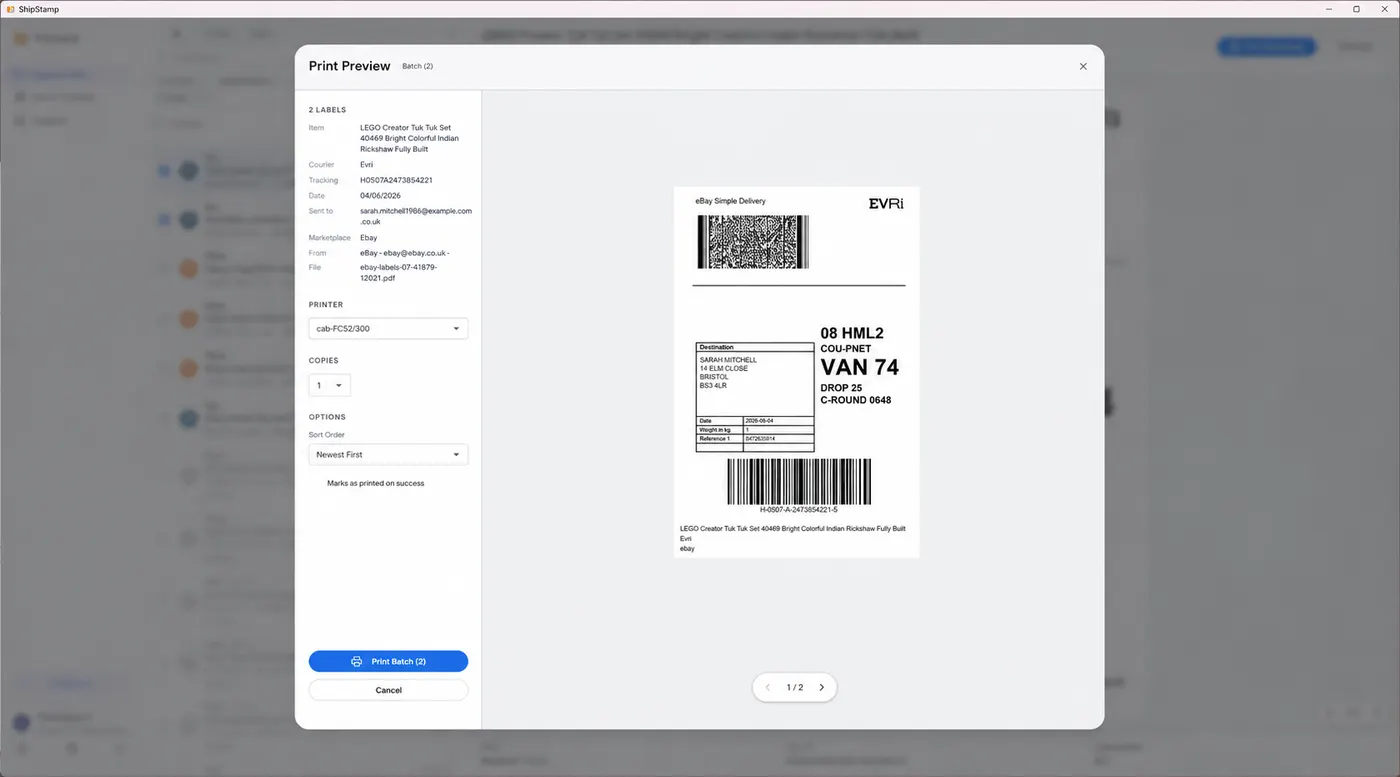
Once you’re selling regularly, the label itself stops being the hard part — finding all of them does. Every sale drops a label email into your inbox, and at packing time you’re scrolling back through them one by one. ShipStamp connects to your Gmail or Outlook inbox, pulls every Vinted and eBay shipping label into one list, and prints them at the right size in one click. It’s the same simple sticker — just without the inbox archaeology.
Common questions
What is a shipping label?
A printed sticker on a parcel showing the delivery address, sender, courier and a scannable barcode that tracks the parcel through delivery. It’s generated when you buy postage and usually printed at 6×4 inches.
What information is on a shipping label?
Delivery address, return address, courier and service, tracking number, and a barcode (often a QR code too). The barcode links the parcel to the order in the courier’s system.
How do I get a label selling on Vinted or eBay?
The marketplace generates it when your item sells and emails it to you as a PDF. You print it and attach it. ShipStamp finds those label emails automatically and prints them in one click.
The easy way
From inbox to printed label in one click
ShipStamp finds the shipping labels in your Vinted and eBay sale emails, collects them in one place, and prints them at the right size to any printer Windows can see. No downloading, no forwarding, no hunting through your inbox.
Free to try, 50 labels included, no card required.
Get ShipStamp free on Windows