 ShipStamp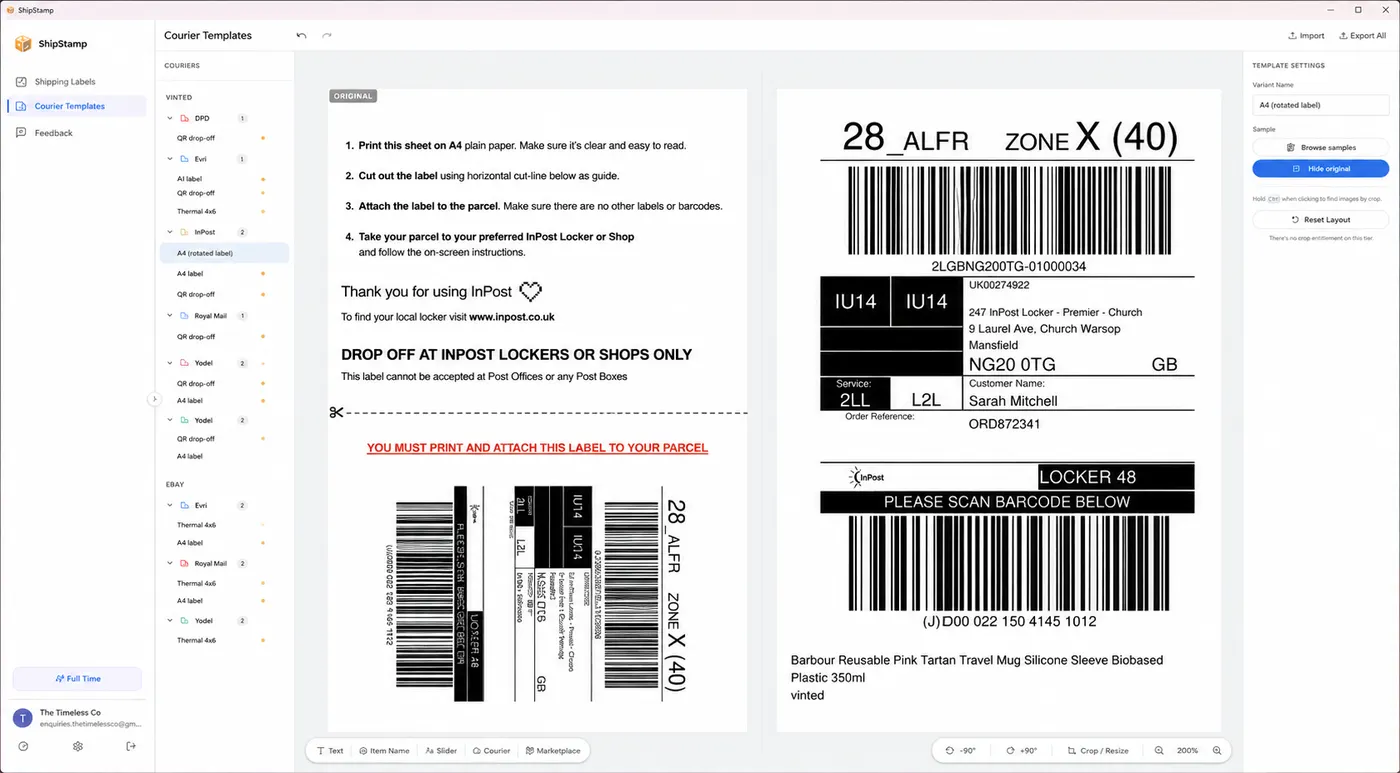
Crop once
Save the crop for awkward courier PDFs
Drag around the real label area once. ShipStamp remembers the crop for future labels from that courier.
ShipStamp scans your Gmail or Outlook inbox, finds the shipping labels buried in your Vinted and eBay sale emails, sorts them by courier, and sends them straight to your thermal label printer. No downloading. No forwarding. No copy-paste.
Requires Gmail or Outlook · Windows only · Supported printers
Stop hunting through emails for each label. ShipStamp handles the tedious bit.
Connect your Gmail or Outlook inbox and ShipStamp pulls every shipping-label attachment from your Vinted and eBay sale emails, past and future, automatically.
Queue a whole day's orders and print them in one go, correctly sized for your printer — thermal label rolls or A4 sticker sheets.
Royal Mail, Evri, InPost, Yodel and more are detected and grouped automatically, so your prints come out in the order you pack.
ShipStamp works with Google (Gmail) and Microsoft (Outlook, Hotmail, Live) accounts. Your selling account on Vinted or eBay must use one of these email providers.
Your emails and labels are read on your machine and stored only on your machine. Nothing is uploaded to us or shared with anyone.
Whether it's five parcels or fifty, ShipStamp keeps up. Built for resellers and small shops that ship every day.
Set it up once. After that, it just works.
Sign in with Google (Gmail) or Microsoft (Outlook/Hotmail/Live). Your eBay or Vinted selling account must send label emails to that same address.
It automatically scans for shipping-label emails from Vinted and eBay and pulls the PDF or image attachment for every order.
Review your labels, hit print, and your thermal printer does the rest. Mark them done and move on.
Three screens that show the core workflow.
Drag around the real label area once. ShipStamp remembers the crop for future labels from that courier.
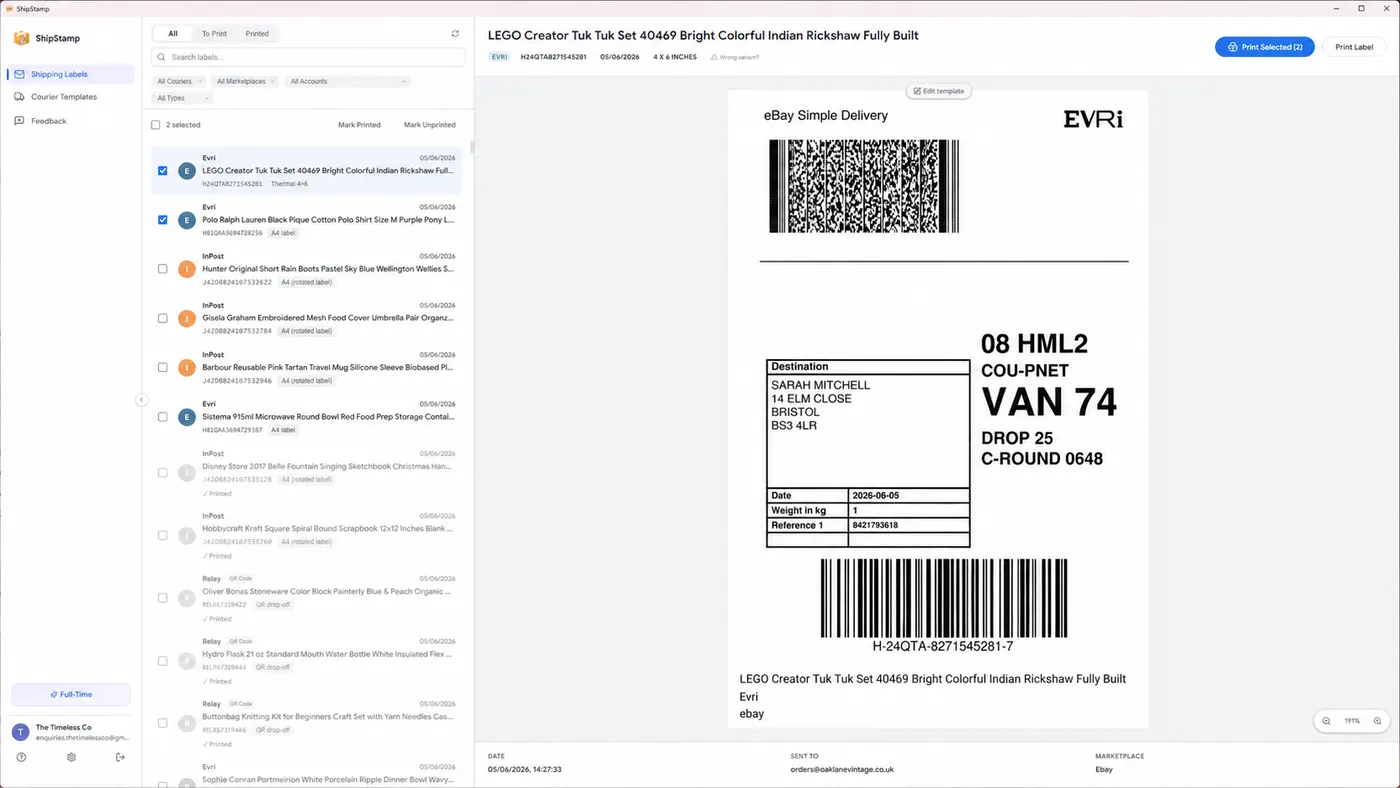
ShipStamp pulls Vinted and eBay labels from your inbox and keeps them sorted by courier, marketplace, date, and print status.
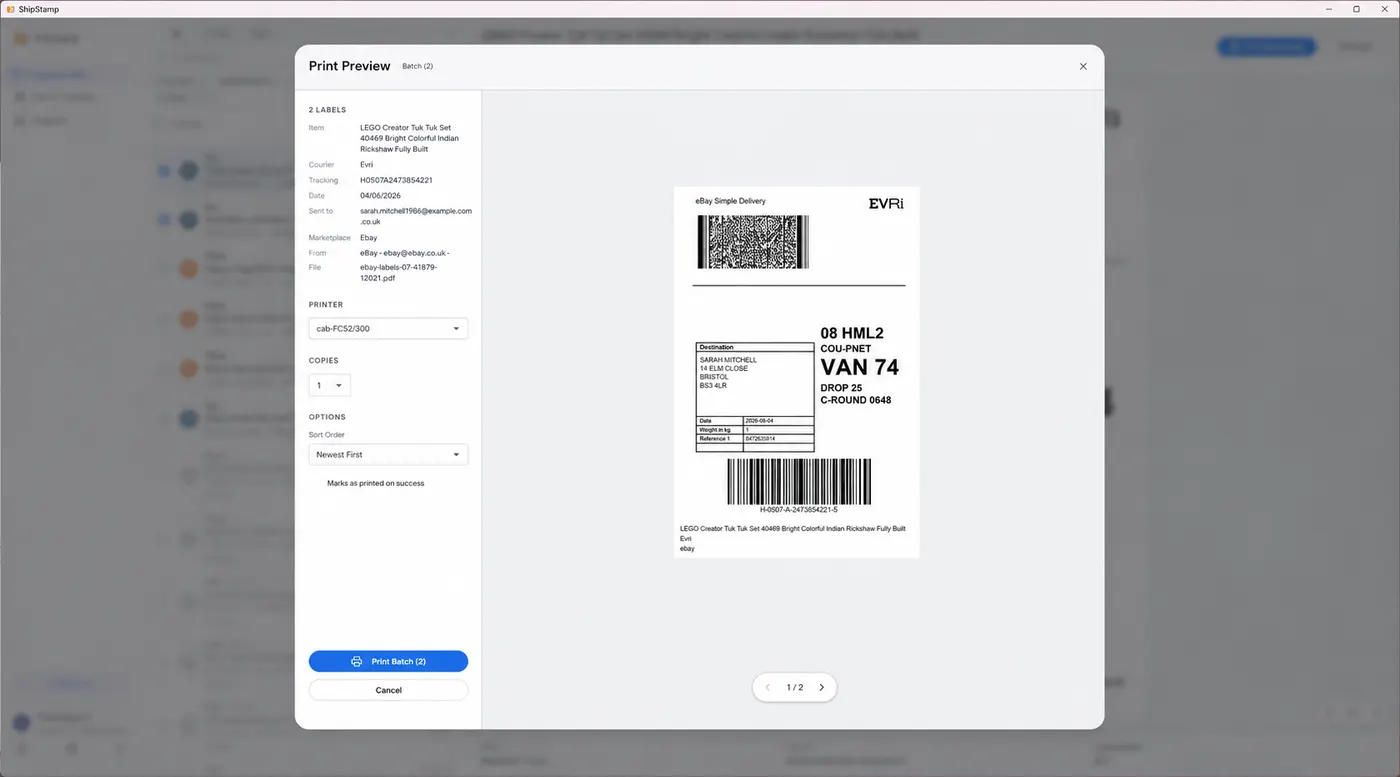
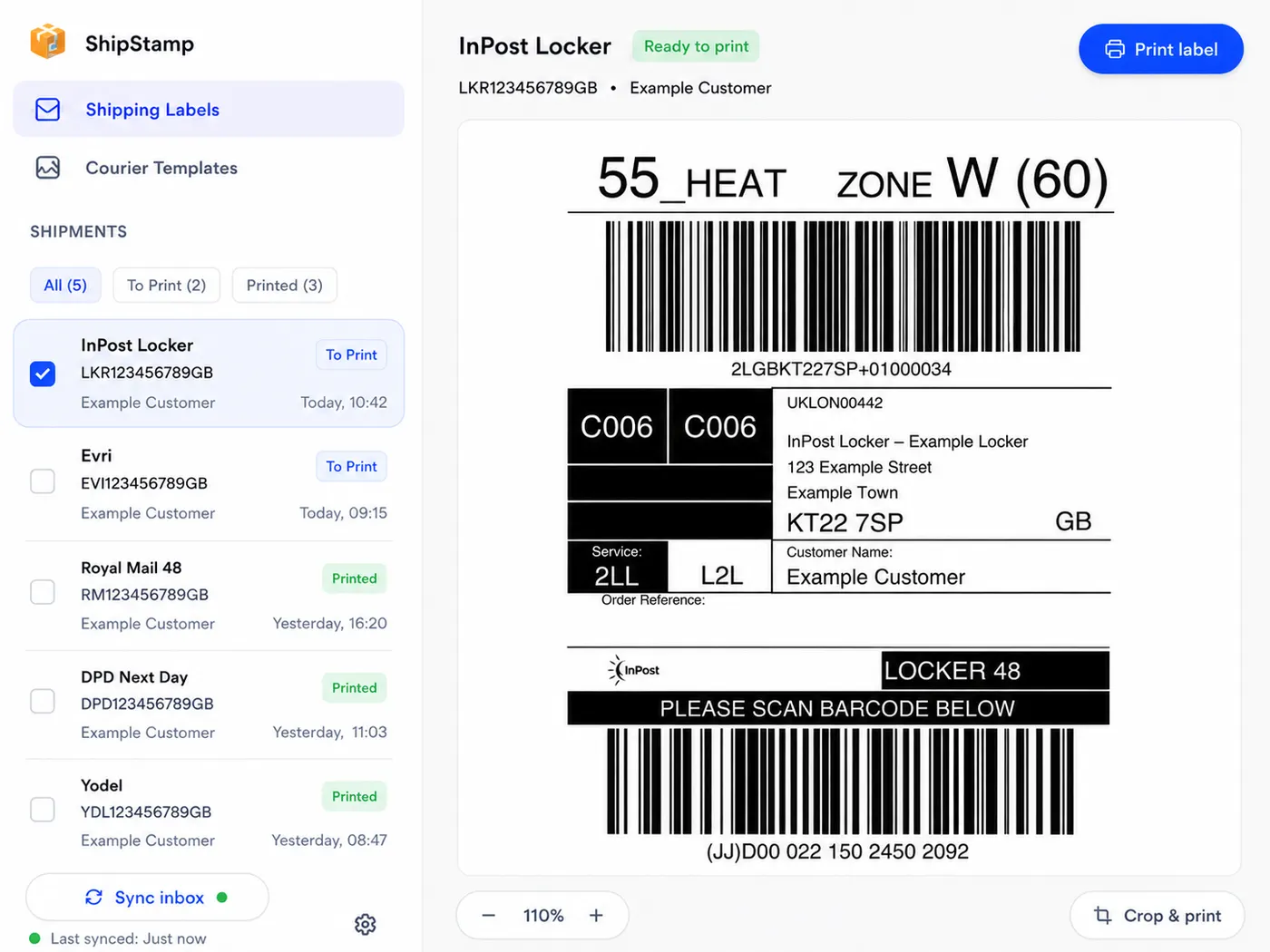
Preview the label at the size it will print, choose copies, and send it to your thermal printer without wasting stock.
Vinted InPost labels arrive as full A4 PDFs with instructions. Crop the label portion once and ShipStamp remembers it for every future InPost order.
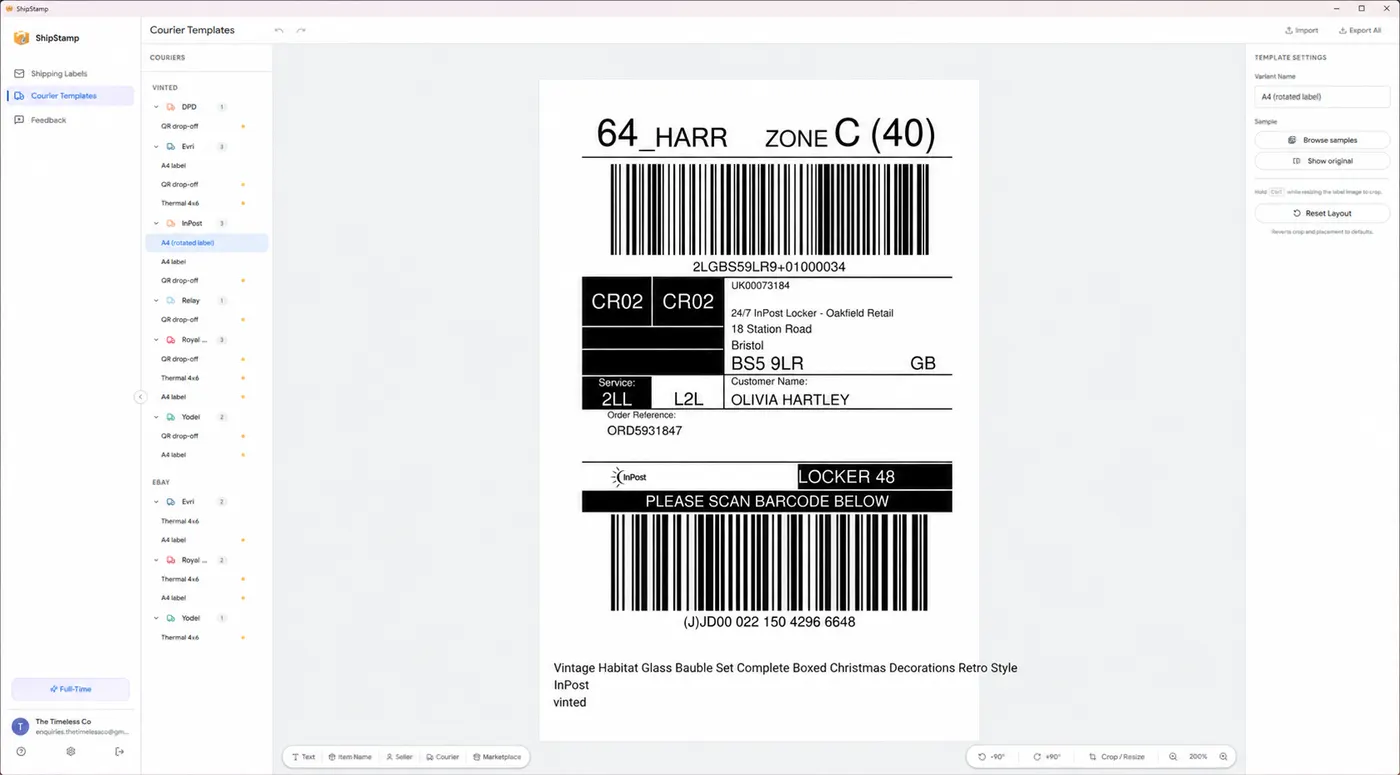
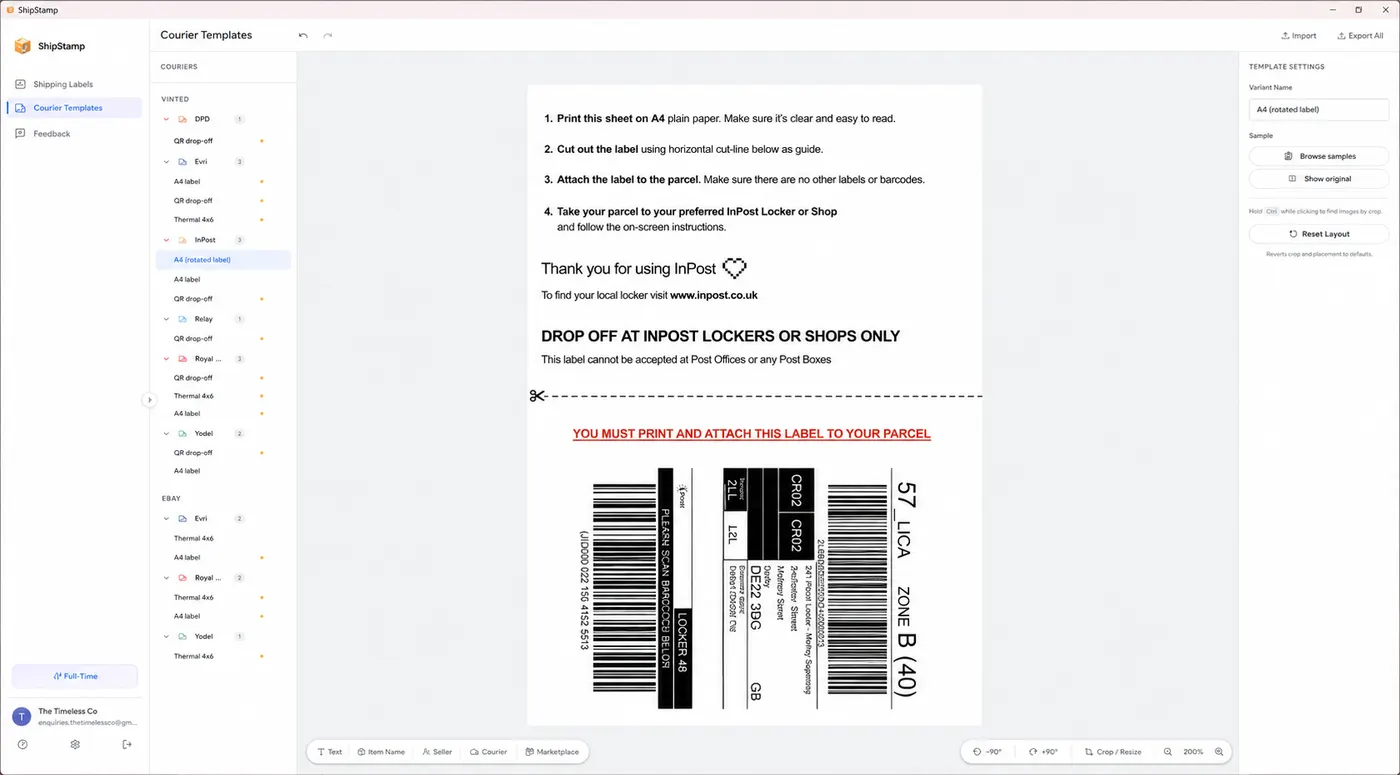
The label is buried at the bottom. Instructions, cut lines, and warnings fill the rest.
Drag the handle once, save. Every InPost label from now on prints perfectly without the instructions.
ShipStamp arranges your shipping labels four-to-a-page on plain A4 paper or sticker sheets, so a whole batch prints on the inkjet or laser printer you already own. Tested on a Canon PIXMA inkjet — and any inkjet should work the same way.
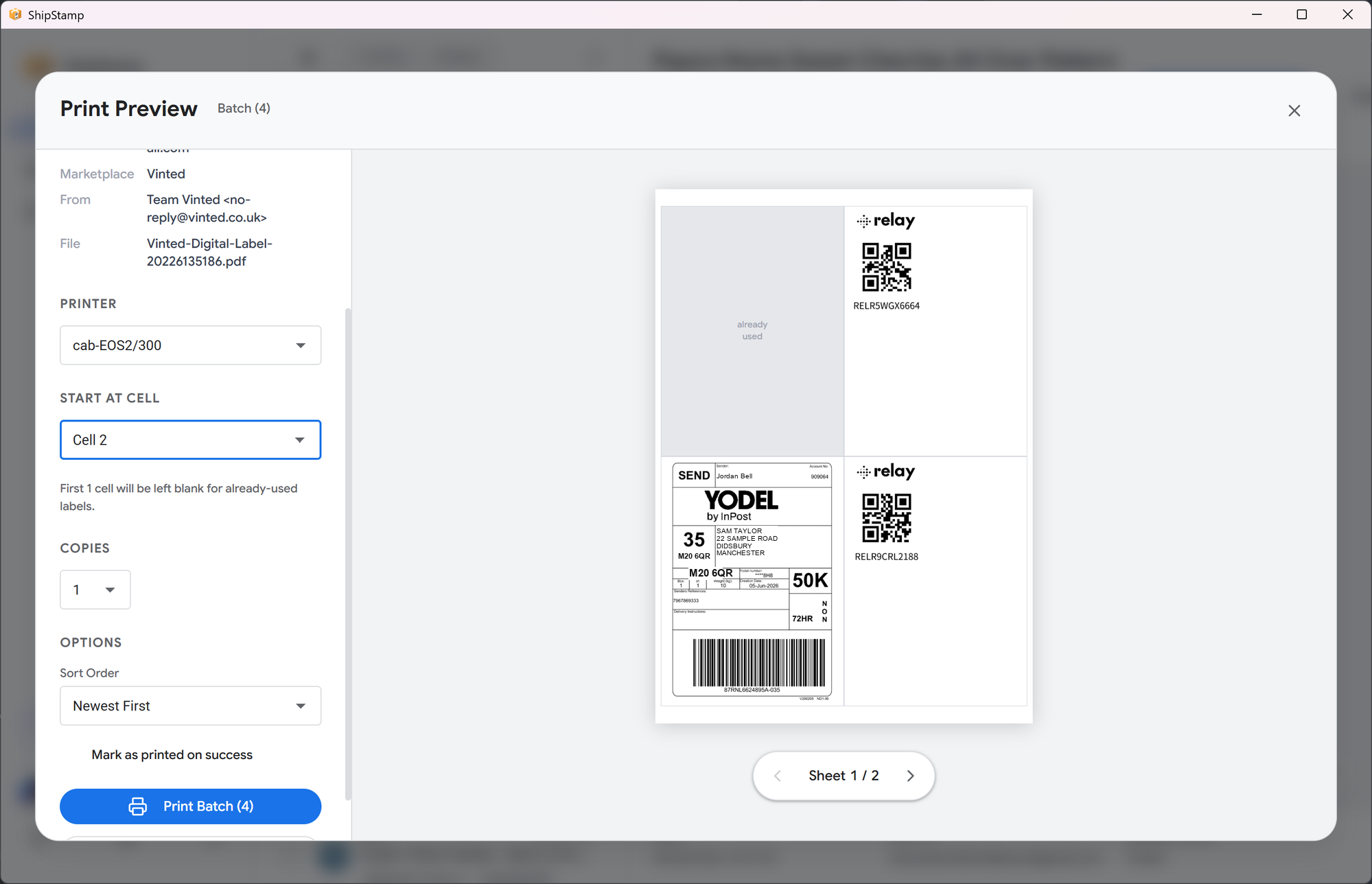
Each label prints at its true size in a 2×2 grid, ready to cut out or peel off a standard A4 sticker sheet — no thermal roll required.
Already pulled a few labels off? Choose the cell to start at and ShipStamp skips the used ones, printing onto the blanks that are left.
ShipStamp reads your mail on your device to find labels and stores everything locally. We never receive, store, sell, or share your email content. Read our plain-English privacy policy if you'd like the full details.
ShipStamp updates automatically through the Microsoft Store. See every new feature, improvement, and fix in the release notes.
The questions sellers ask most about printers, label sizes and how it works.
Any thermal shipping label printer that prints 6×4 (100×150mm) labels does the job — Zebra, Rollo, Munbyn, DYMO and Brother are all popular. ShipStamp works with any printer Windows can see, thermal or A4, so the hardware is the easy part. See our supported printers list for confirmed models.
The standard UK shipping label is 6×4 inches (100×150mm). That is the size thermal label printers and couriers like Royal Mail, Evri, InPost and Yodel are built around. ShipStamp prints 6×4 labels at their true size and supports any other label dimensions your printer uses.
ShipStamp connects to your Gmail or Outlook inbox, finds the shipping-label attachments in your Vinted and eBay sale emails automatically, and prints them to your thermal label printer in one click — correctly sized, with no downloading or forwarding.
No. ShipStamp prints to any printer Windows can see, including standard inkjet and laser A4 printers. A thermal shipping label printer just makes high-volume printing faster and removes the need for ink.
Join the waitlist and we'll email you the moment ShipStamp opens up. Windows only.
Join the waitlist