 ShipStamp
Vinted Shipping Label Order Failed? Why It Happens and How to Fix It
You’ve made a sale, you go to print the label, and Vinted tells you the shipping label order failed. Cue the panic — has the sale fallen through? Has the buyer been charged? Almost always: no. The sale is fine. What failed is the label generation, and it’s usually fixable in a couple of minutes. Here’s what’s going on and what to do.
What ‘label order failed’ actually means
Vinted generates your shipping label by talking to the courier’s system in the background. ‘Shipping label order failed’ means that handshake didn’t complete — the label couldn’t be created or sent. It is a problem with the label, not with the sale. The buyer’s payment is held, the order stands, and you’re not being asked to pay anything extra.
The common causes
- A temporary courier glitch. The most frequent one. Vinted or the courier’s API hiccupped. Trying again a few minutes later usually just works.
- Payment not settled yet. If the buyer’s payment is still processing, the label can’t be raised against the order until it clears.
- An address or pickup-point problem. An incomplete delivery address, or a locker/ParcelShop that’s full or out of service, can block label generation.
- App or session issue. An out-of-date app or a stale session can cause the request to fail on your end.
How to fix it, step by step
- Wait two or three minutes and refresh the order conversation. Glitches clear on their own more often than not.
- Check the order in the app, not just your email — the label may have generated even though the email didn’t arrive.
- Confirm the buyer has paid and the delivery address or pickup point is valid.
- Update the Vinted app (or try the website), then generate the label again.
- Still failing? Contact Vinted support. The sale is protected; they can re-issue the label without re-charging the buyer.
The quieter problem: labels that succeed but get lost
Here’s the thing most sellers don’t notice. A failed label is loud — you get an error and you act on it. The bigger time-sink is the labels that succeed and then vanish into your inbox: the email is delayed, filtered to spam, or buried under twenty other notifications. You don’t get an error, you just can’t find the label when you sit down to pack.
How ShipStamp helps
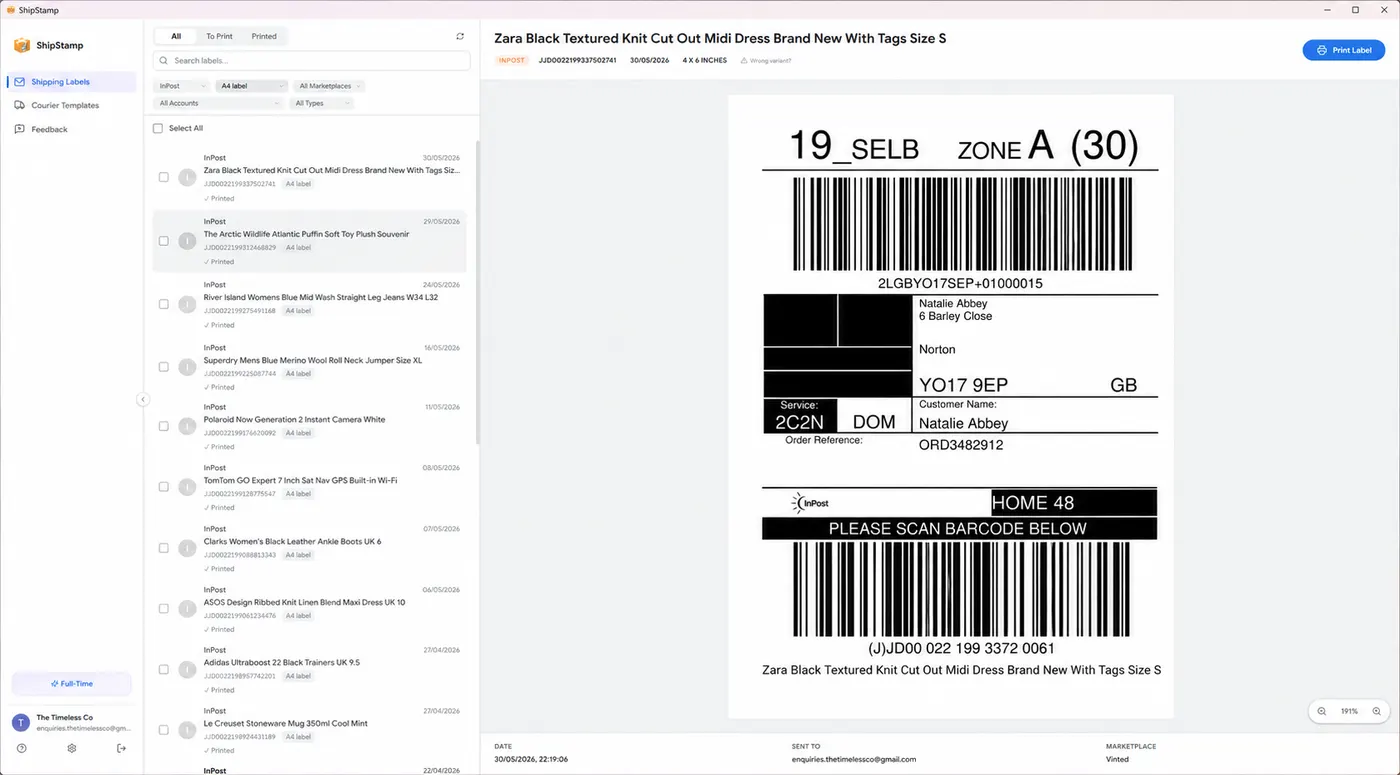
ShipStamp connects to your Gmail or Outlook inbox and scans it for shipping-label emails from Vinted and eBay, pulling the attachment from every order — past and future — into one sortable list. If a label email was delayed or landed in spam, ShipStamp still finds it, so you’re never hunting through your inbox at packing time wondering whether a label came through.
It won’t un-fail a label that Vinted genuinely couldn’t generate — that’s on Vinted’s side — but it does remove the much more common everyday version of the problem: a label that exists somewhere in your inbox and you just can’t lay hands on it.
Common questions
What does ‘shipping label order failed’ mean on Vinted?
Vinted couldn’t generate or deliver the label — usually a temporary courier glitch, an unsettled payment, or an address problem. The sale itself is normally fine; only the label failed.
How do I fix a failed Vinted shipping label?
Wait a few minutes and refresh, check the order in the app, confirm payment and address, update the app, and try again. If it keeps failing, contact Vinted support — the buyer isn’t charged again and the sale stands.
Why didn’t I get the label email?
It can be delayed or filtered to spam even when the label generated fine. The label is still on the order in the app. ShipStamp pulls Vinted labels from your inbox automatically, so a missed email isn’t a lost label.
Stop losing labels
Every Vinted and eBay label, pulled from your inbox automatically
ShipStamp scans your Gmail or Outlook inbox, finds every shipping label from your Vinted and eBay sales, and lines them up ready to print — so a delayed or spam-filtered email never costs you a label again. Print them all in one click, correctly sized, to any printer Windows can see.
Free to try, 50 labels included, no card required.
Get ShipStamp free on Windows