 ShipStamp
Printing Vinted Labels on A4 Is a Waste. So You Buy 4-Label Sticker Sheets — Then Discover Nothing Can Print Them
You don’t own a thermal printer. You’ve got a normal home inkjet, a stack of A4 paper, and a roll of sticky tape. Every Vinted label you print comes out taking up a quarter of a page, the other three-quarters blank, and you cut it out with scissors and tape it to the parcel. It works. It’s also slow, wasteful, and faintly ridiculous. So you have the obvious idea: buy A4 sticker sheets that hold four labels each, print four at a time, peel and stick. Then you go looking for the software to do it — and there isn’t any.
The full-page-per-label problem
A Vinted shipping label is small. The barcode, the address block and the courier branding occupy roughly a 100mm × 150mm area — about the size of a postcard. The PDF Vinted sends you, though, is a full A4 page with the label sitting in one corner or floating in the middle, surrounded by white space.
When you open that PDF and hit print, your printer does the literal thing: it prints one A4 page. One label, one sheet of paper. The remaining three-quarters of the page is blank, and you’ve just spent a full sheet of paper and a pass of ink to produce something the size of a playing card.
Then comes the manual part. You cut the label out with scissors. You position it on the parcel. You tape over it — ideally without taping across the barcode, because tape glare can stop a courier scanner reading it. For one parcel, fine. For ten, it’s ten sheets of paper, ten cutting jobs, and ten taping jobs, and your kitchen table is covered in paper offcuts.
The obvious idea: four labels to a sheet
Anyone who does this more than a handful of times has the same thought. The label is a quarter of an A4 page. An A4 page has room for four of them. Why not print four labels on one sheet?
And ideally not on plain paper you still have to cut and tape, but on self-adhesive A4 sticker paper — the kind that comes pre-divided into four equal peel-off labels per sheet. Print four labels, peel, stick. No scissors. No tape. A quarter of the paper. It’s the obvious upgrade short of buying an actual thermal printer, and the sticker sheets are cheap and sold everywhere.
So you buy a pack of 4-up A4 label sheets (the common layout is four labels at roughly 99.1mm × 139mm each), load them into your printer, and go to print your Vinted labels four at a time. That’s where the plan hits a wall.
Why nothing will lay them out for you
To print four labels on one sticker sheet, something has to take four separate label PDFs, shrink each to the right size, and arrange them in a precise 2×2 grid that lines up with the pre-cut stickers on the page. Get the position even a couple of millimetres out and the labels straddle the cut lines, which ruins the sheet.
Vinted won’t do this. Vinted hands you a single full-page PDF per sale and considers its job done. There is no ‘print four per sheet’ option anywhere in the platform.
Your PDF viewer won’t do it either. Adobe Reader and the built-in viewers offer ‘multiple pages per sheet’, but that’s designed for putting four pages of a document onto one sheet to save paper when reading — it scales everything down with its own margins, ignores where the sticker cut lines are, and gives you four tiny labels marooned in the middle of four quadrants, not aligned to the adhesive labels at all.
The label-sheet manufacturers ship Word templates, but those are built for you to type addresses into by hand, not to drop in barcoded courier PDFs. And the warehouse-grade shipping software that genuinely does N-up label layout is priced and built for businesses running hundreds of orders a day through a courier API, not a person selling their old clothes on Vinted at the weekend.
So the sticker sheets sit in the drawer. The plan was sound. The software to execute it simply didn’t exist for an ordinary seller. That gap is exactly what ShipStamp was built to close.
How ShipStamp prints to 4-up A4 sticker sheets
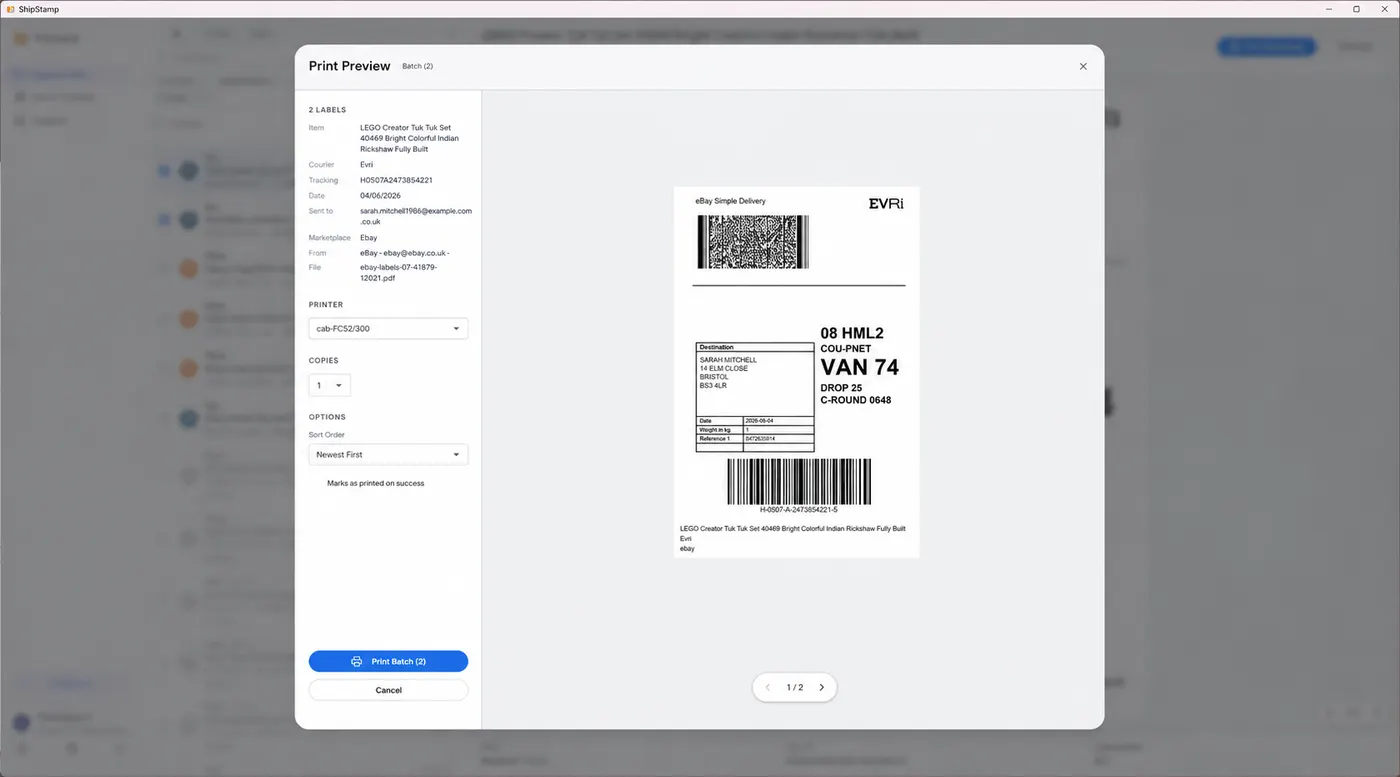
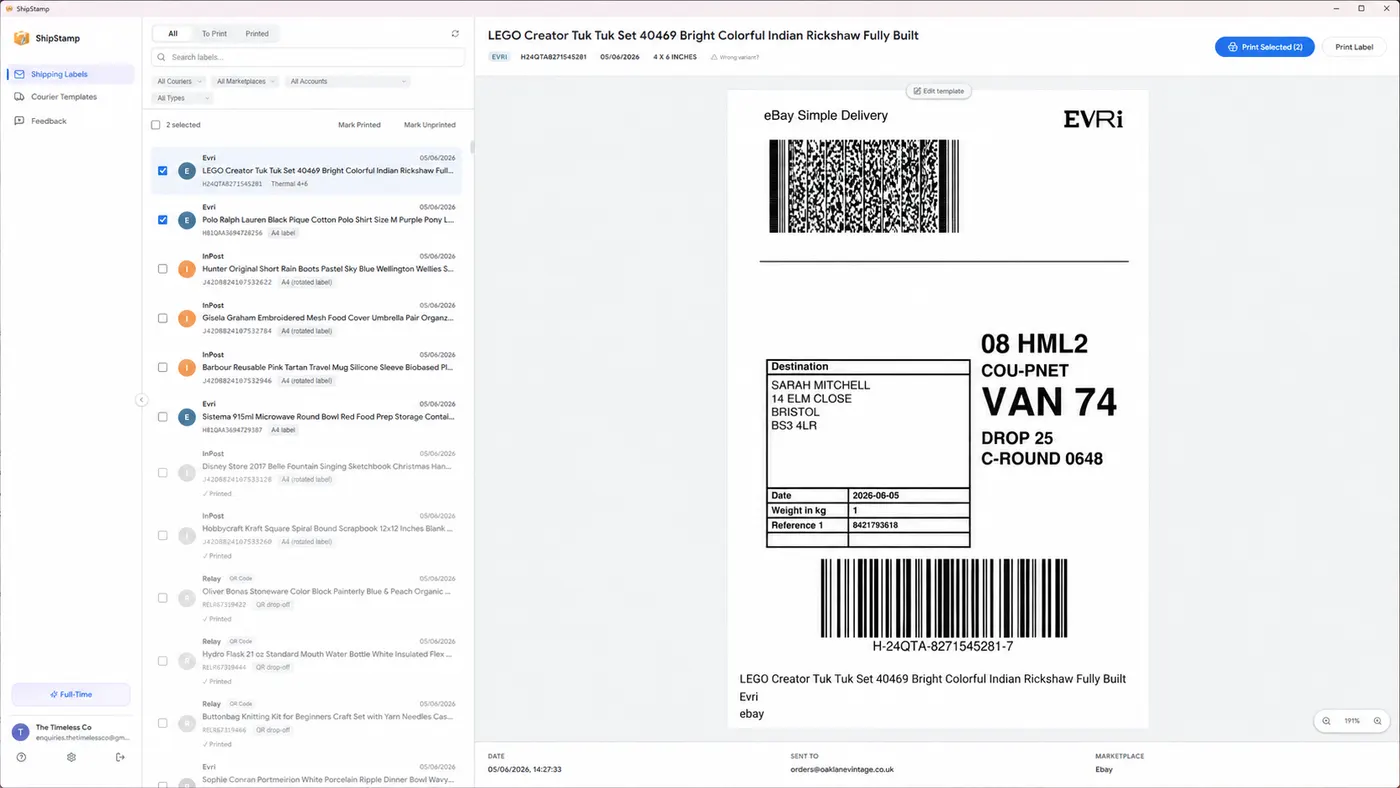
ShipStamp connects to your Gmail or Outlook inbox and pulls every Vinted label in automatically, the moment it arrives. From there, instead of opening four PDFs and wrestling with the print dialog, you pick your labels and choose a print layout.
One of those layouts is A4 — 4 labels per sheet. Select it and ShipStamp arranges four labels in a 2×2 grid sized to roughly 99.1mm × 139mm per cell, the standard 4-up sticker layout. Print, peel, stick. No scissors, no tape, four parcels handled per sheet. There’s also an A4 — 6 labels per sheet (2×3, around 99.1mm × 93.1mm per label) for smaller labels, and a plain one-label-per-page A4 mode if you’re back on ordinary paper.
If you’ve only got five labels to print, ShipStamp fills the first sheet with four and puts the fifth on a second sheet — it pages through automatically rather than dropping the overflow.
The part-used sheet problem — solved
Here’s the detail that turns a clever feature into a genuinely usable one. Sticker sheets are almost never used in tidy multiples of four. You print four labels Monday, then three more come in Wednesday. With most layout tools you’d either waste a fresh sheet or peel-and-restick by hand.
ShipStamp lets you choose which cell to start at. Got a sheet with the top-left two stickers already used? Set it to start at cell 3, and ShipStamp leaves the first two cells blank and prints only onto the two remaining stickers. Nothing wasted, no sheet binned because of an awkward number of labels.
There’s also an alignment calibration step. Home printers all feed paper slightly differently, so the first time you print a sheet you can nudge the grid a millimetre or two until the labels land dead-centre on the stickers. Set it once and every sheet after that lines up.
What this actually saves you
The plain-A4-and-scissors method costs you a full sheet of paper per parcel, a cutting job per parcel, and a taping job per parcel. Ten parcels is ten sheets and twenty minutes of fiddly manual work, plus the risk of taping over a barcode and having a label rejected at drop-off.
Four labels to a sticker sheet cuts the paper to a quarter, removes the scissors entirely, and removes the tape entirely — the adhesive label is the attachment. Ten parcels becomes three sheets, printed in one click, peeled and stuck in under five minutes. And because the labels print at their true size onto a clean adhesive surface, the barcodes scan first time.
It’s not as fast as a dedicated thermal printer — nothing beats a 4×6 roll for high volume. But if you’re not ready to buy one, printing four to an A4 sticker sheet is the most sensible setup there is. The only thing missing was a piece of software willing to lay your Vinted labels out that way. Now there is one.
Common questions
Can you print Vinted labels four to an A4 sheet?
Not with Vinted itself or a standard PDF viewer — they print one label per A4 page. ShipStamp has a built-in A4 mode that lays four labels (2×2) or six labels (2×3) onto a single A4 sheet, sized to fit standard self-adhesive sticker paper.
What sticker paper do I need to print 4 labels per A4 sheet?
Any A4 self-adhesive label sheet with 4 labels per page (roughly 99.1mm × 139mm per label, a common 4-up layout). ShipStamp’s 2×2 A4 mode is sized to match. There’s also a 2×3 (6-up) mode at roughly 99.1mm × 93.1mm per label.
Can I use a sticker sheet I’ve already used some of?
Yes. ShipStamp lets you choose which cell to start printing from, so the first one, two or three cells are left blank and the labels land only on the unused stickers. No wasted sheets.
The fix
ShipStamp prints your Vinted labels four to an A4 sticker sheet
ShipStamp connects to your Gmail or Outlook inbox and pulls every Vinted and eBay shipping label automatically. Select the labels you want, choose ‘A4 — 4 labels per sheet’, and print straight onto standard 4-up self-adhesive sticker paper. Peel and stick. No scissors, no tape, no wasted paper.
Start on a part-used sheet by picking which cell to begin at, calibrate the alignment once for your printer, and get 6-up and single-label A4 modes too. No thermal printer required — works with any printer Windows can see.
Free to try, 50 labels included, no card required.
Join the waitlist